What do I see on my dashboard?
Your dashboard shows what's happening in your workspace today: your call stats, your team's activity, and a step-by-step guide to fully set up Telsmart.
The screen consists of four parts:
- Get Telsmart ready in 5 steps — a checklist at the top that tracks how far along you are, with a link to each remaining step.
- Four stats with calls today, missed calls today, average duration and pickup rate.
- Today's activity — the calls from you and your team, with a link to the full overview.
- Team online — which of your colleagues are currently online, busy or offline.
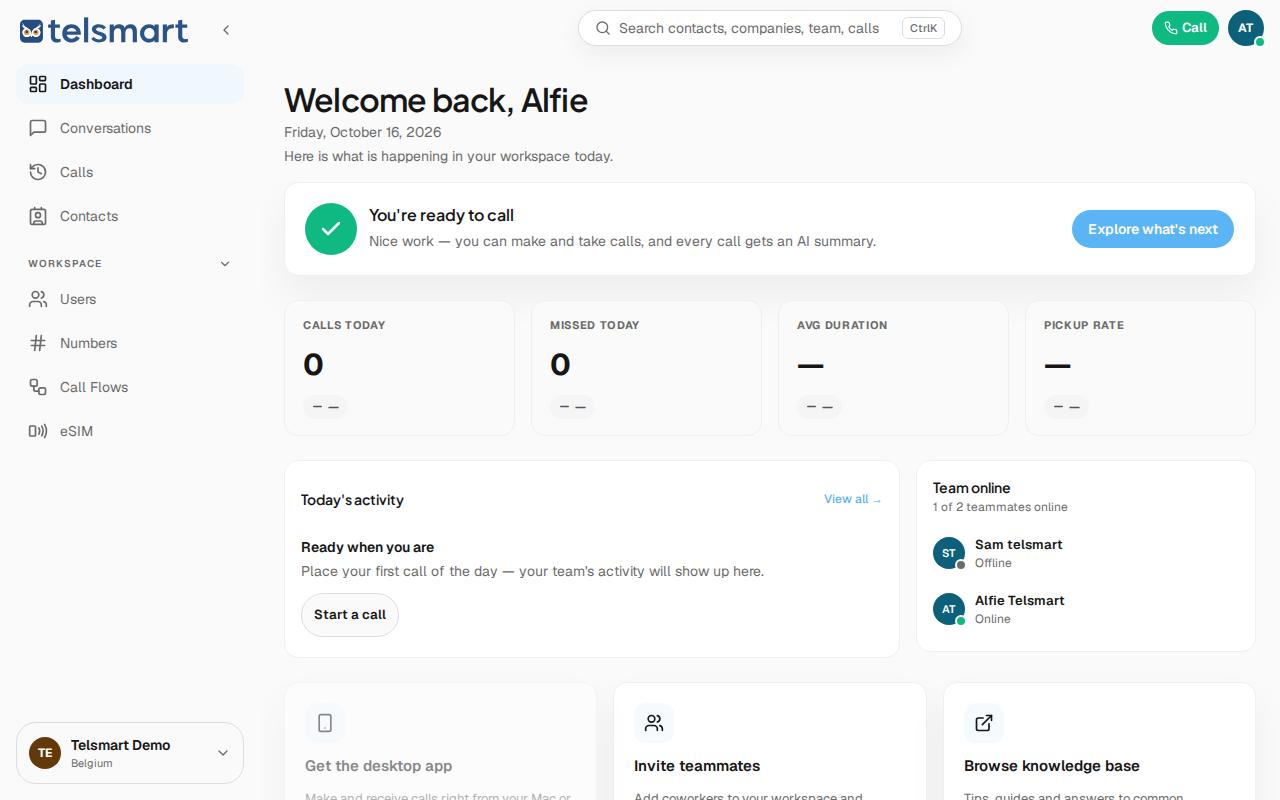
Good to know: as long as there haven't been any calls yet, the stats show a dash (—) instead of 0% or 0 sec. That's not an error.
If something is missing
Do you only see one name under "Team online" even though you work with several colleagues? Then the others haven't been invited to the workspace yet — see How do I invite a colleague?