How do I change the app's language?
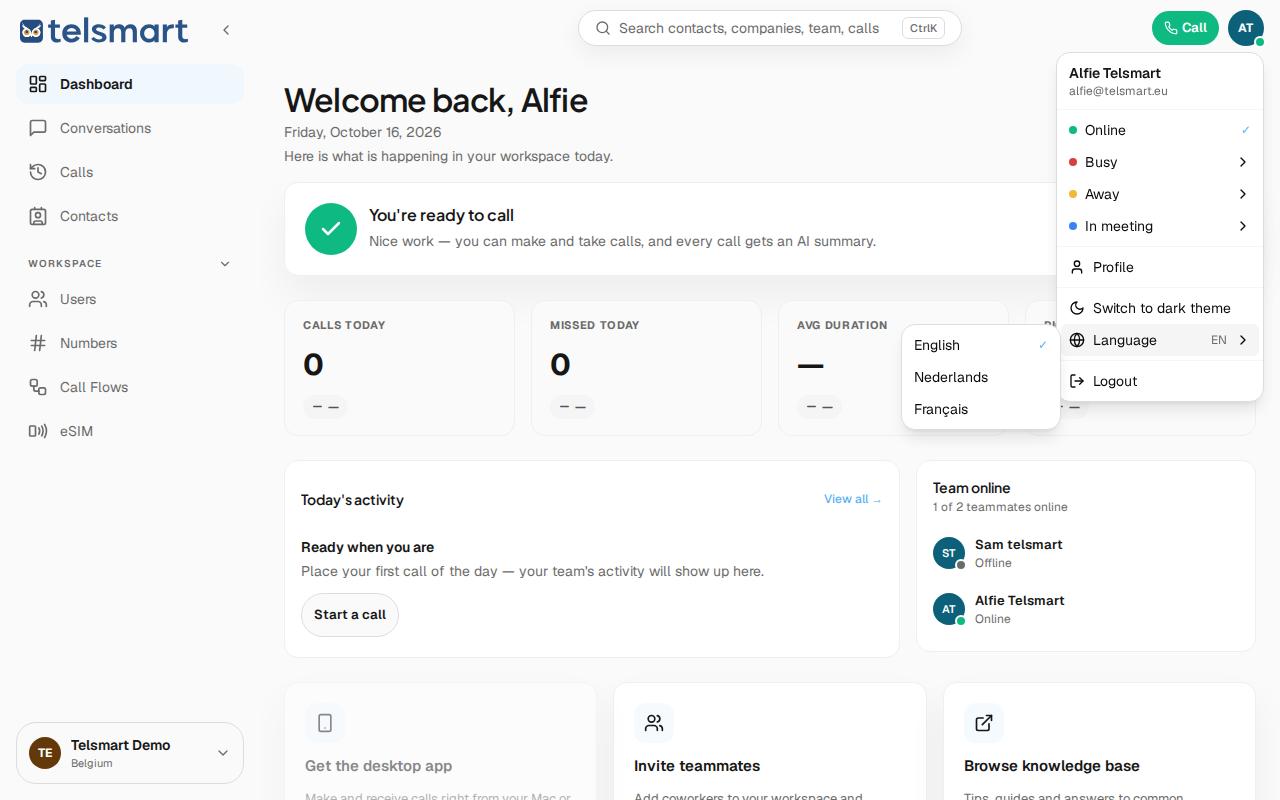
Click your avatar in the top right, open Language, and choose Nederlands, English or Français.
- Click your avatar in the top right.
- Go to Language — you'll immediately see your current language next to it (for example "EN").
- Choose Nederlands, English or Français from the submenu that opens.
Good to know: the language setting is separate from the summary language under Call settings: one determines which language the app itself displays, the other determines which language your AI call summaries are written in. The two don't need to match.