Can I make calls with a headset?
Yes — connect your headset via the Audio tab in Call settings; then you can answer, hang up and mute calls with the buttons on your headset.
- Open Call settings via the gear icon below the keypad.
- Go to the Audio tab.
- Under Headset call control, click Connect headset and follow your browser's steps.
- Also choose your headset under Microphone and Speaker if it isn't selected automatically yet.
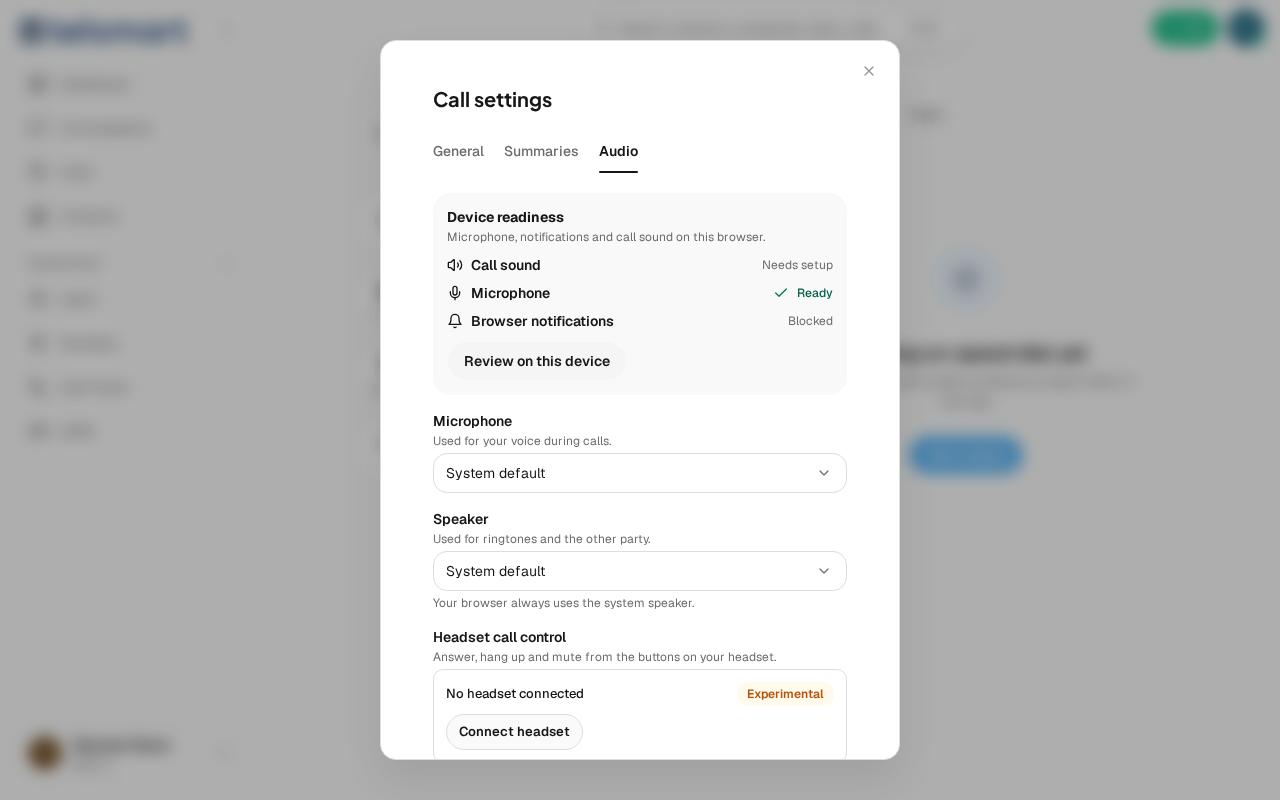
Good to know: Headset call control carries the Experimental label — the buttons on your headset work, but Telsmart itself warns that this isn't equally reliable for every headset model yet.
If it doesn't work
Does Call sound, Microphone or Browser notifications still say "Needs setup" or "Blocked" at the top of the tab? Click Review on this device and give your browser permission.