Setting up an IVR menu
In the guided call flow setup, under "More options" choose "Offer a menu" and set where the call goes for each key.
- Open Call Flows in the left-hand menu and click + New call flow (or edit an existing flow).
- Go through the guided setup until the question "No one picks up. What then?" or "And outside opening hours?".
- Click More options and choose Offer a menu.
- Choose a Menu prompt (the audio file the caller hears).
- Set what happens for each option — for example Call a team member or Voicemail.
- Click Add option for extra choices, and Continue when you're done.
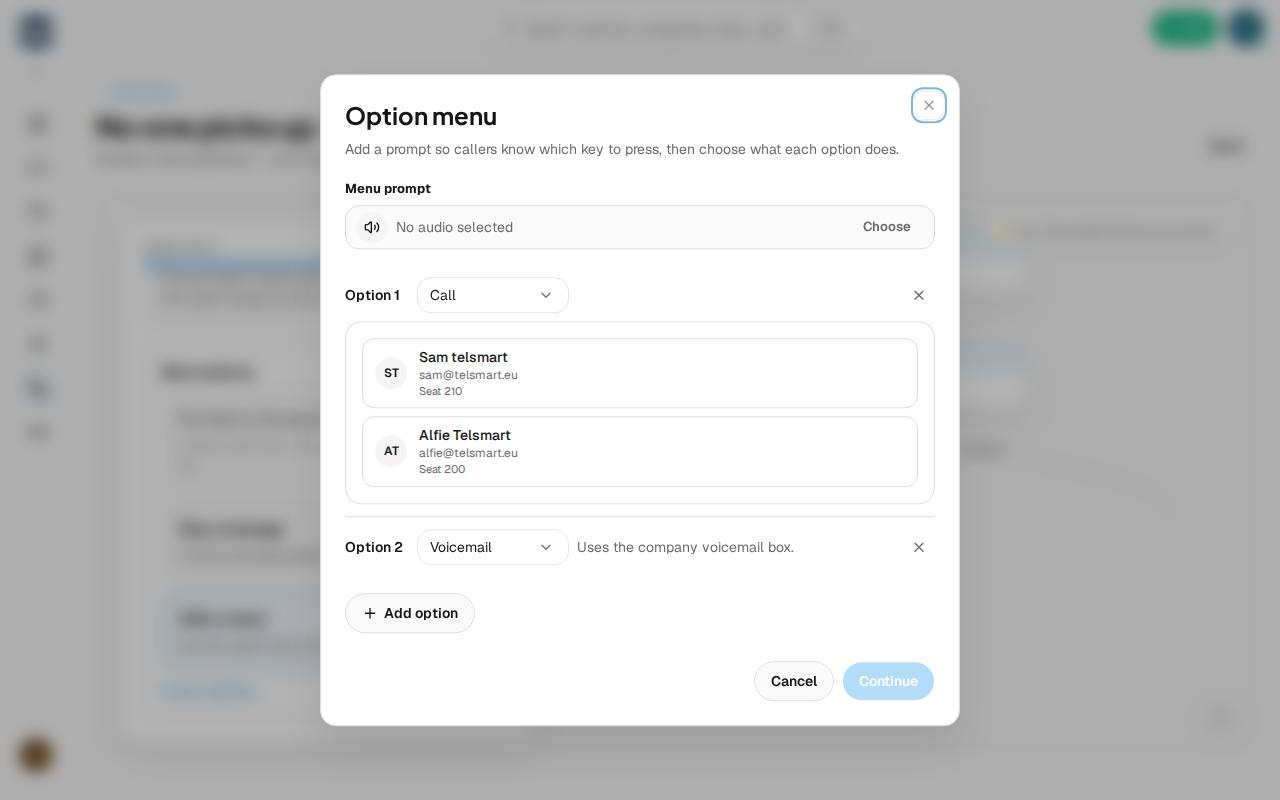
Good to know: you can link each option in the menu separately to a different team member or to voicemail — that's how you build, for example, "press 1 for sales, press 2 for support."