How do I add a contact?
In Contacts, click "Add contact", choose a phonebook and fill in at least a name and primary number.
- Open Contacts in the left-hand menu.
- Click Add contact in the top right.
- Choose the Phonebook the contact should go into.
- Fill in Display name and Primary number — Secondary number and Company are optional.
- Click Save.
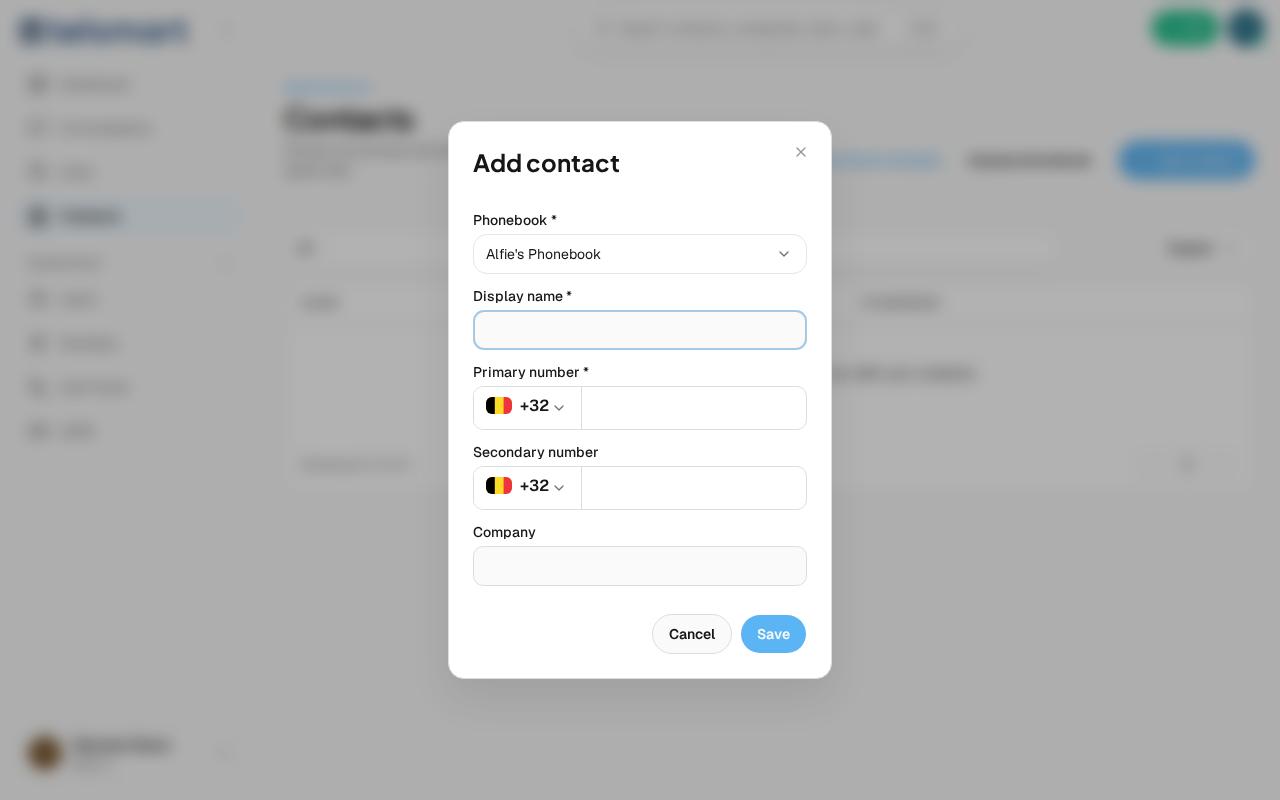
Good to know: every workspace automatically gets its own personal phonebook, already pre-filled in if you haven't created another phonebook yet.